VALORANT Servers and Ping: How to Choose the Least Bad Route
Written by Valorant Village
Source-backed coverage ●
The server with the smallest number is an appealing answer. It is also an incomplete one. The least bad route is the available choice that stays usable when you play, for you and, if you queue with friends, for the whole party.
Riot's current Server Select page says you cannot change your shard. You can change the server when you are playing solo or leading a party, and only among the servers available in your region. The client gives you a choice inside that boundary. It does not turn the server picker into a way to relocate an account or bypass regional availability.
Start with what the client can show you
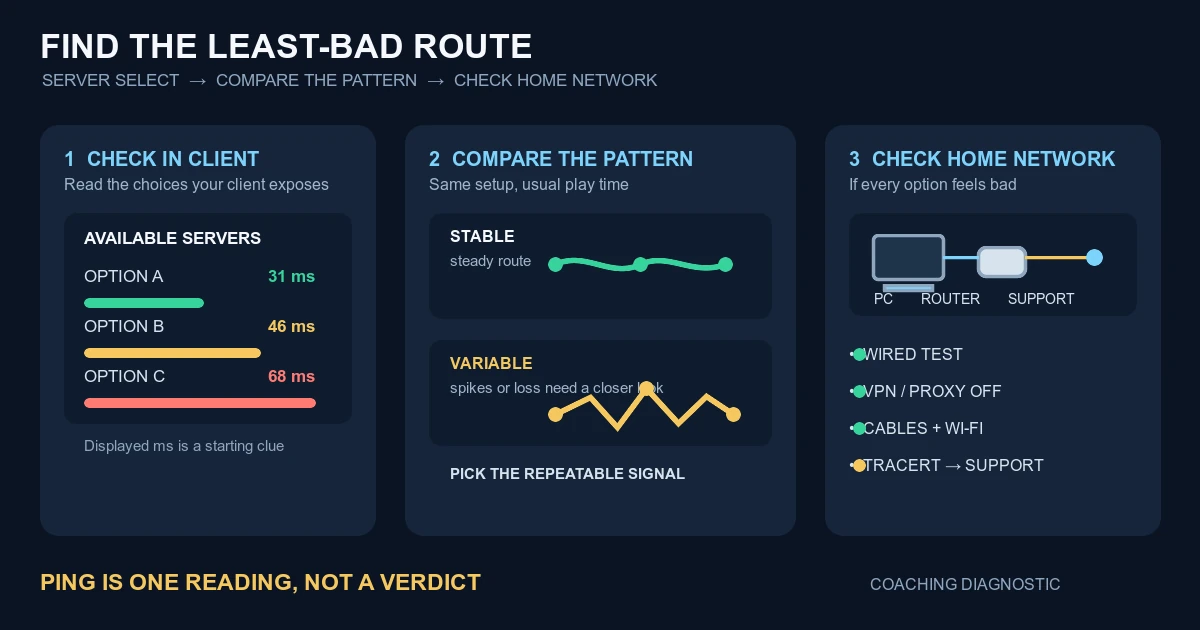
Before queueing, open the Server Select control in the Play lobby. Read the server choices currently exposed to your account and the displayed millisecond reading beside each one. Riot's support article includes client examples with those per-server readings, but the useful fact is the list in your client now, not a location list copied from an old post or an IP lookup.
If you are solo, you can change the selection yourself. If you are in a party, the leader controls that choice. Ask each player to note the readings they see before you decide. A route that looks good for one person can be a poor compromise for another. That is a party observation, not a claim about how Riot's queue works.
Note the options and your usual play time. The reading is a baseline for comparing the routes your client offers, not a promise for every packet in the match.
What ping tells you, and what it leaves out
Ping is a round-trip timing reading in milliseconds. Riot's Tracert guide describes Round Trip Time, or RTT, as the time for a packet to travel from your computer to a hop and return. That makes ping useful for answering one question: how long does this exchange appear to take right now?
It does not answer every connection question. One number does not show whether the delay varies, whether packets are being lost, whether your Wi-Fi is competing with another device, or whether the game feels late because of frame-time or input problems. A low reading that jumps can be harder to play on than a slightly higher reading that stays steady. Riot does not publish a universal cutoff.
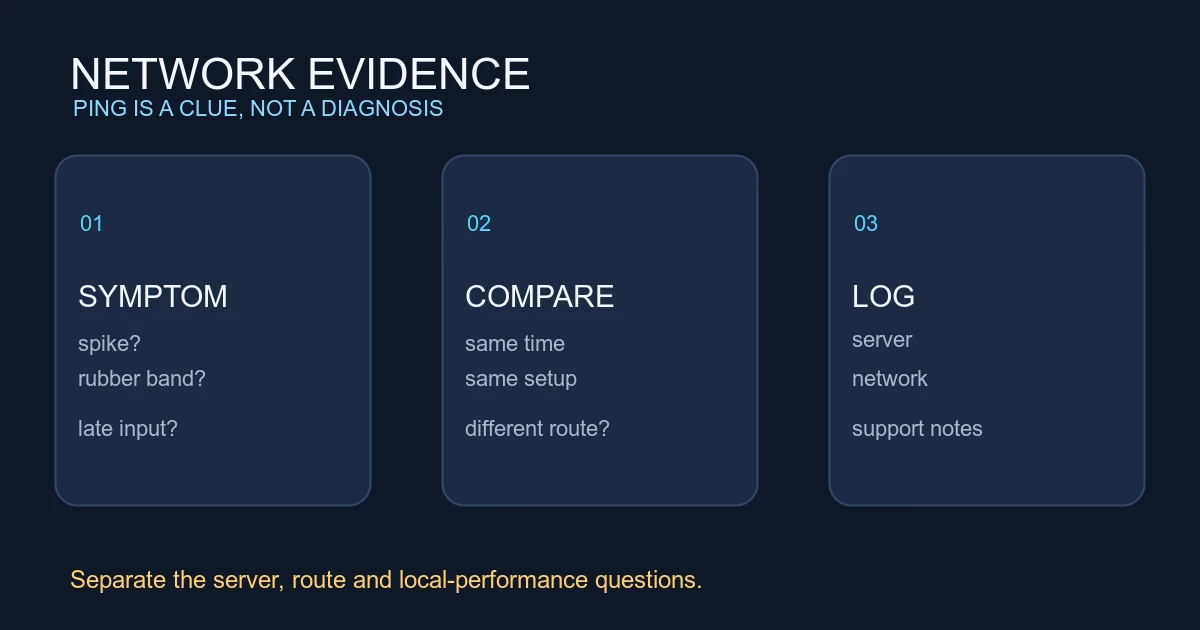
Coaching inference: treat the displayed ping as a clue, then look for a repeatable pattern. The advice below is a testing method from Valorant Village, not a Riot rule or a claim about hidden server scoring.
Compare routes without chasing a one-off
Use the same network setup while you compare. If you normally play at night, test at night. Record the selected server label, displayed reading, any network warning in the client, and whether you used Wi-Fi or Ethernet. Do not change the server, DNS, router settings and graphics settings at the same time.
Compare the available choices across several comparable sessions. Look for the option whose reading stays close to its baseline and whose matches do not produce repeated spikes or loss warnings. Do not switch after one bad duel.
For a party, make the comparison a group decision. Have each player record their own reading and symptoms. The lowest number on your screen is not automatically the fairest route if another player is repeatedly unstable. Choose the option that gives the group the most consistent evidence, even if it is not the smallest row.
When the problem is probably closer to home
If every available choice feels poor, or the same spikes appear after you change servers, pause the server lottery. Riot's Troubleshooting Your Network Connection starts with unglamorous checks: confirm Wi-Fi and the correct network, try a wired connection, check the Ethernet cables, test without a proxy or VPN, and make sure Windows is up to date. Run one change at a time and record what changed.
If the basics do not help, Riot also documents the Windows network troubleshooter, public DNS, renewing the IP address, firewall permissions and port forwarding. Treat those as troubleshooting steps, not latency magic. Changing DNS does not prove that the physical route to a game server improved, and port forwarding is not a general fix for a fluctuating wireless connection.
Coaching inference: a wired comparison that removes the spikes is useful evidence about your local path, not proof that the server was the cause. A problem that follows you across every offered server points to a different investigation than a problem that appears only on one route.
For a persistent or route-specific problem, Riot's Tracert guide gives a support-facing next step. Tracert records the path from your computer toward Riot's servers and reports RTT for each hop. Riot says repeated asterisks followed by “Request timed out” may indicate a network issue, and that latency that rises at a middle hop and stays higher afterward can indicate a problem on the path. Save the log and attach it to a support ticket rather than guessing which location an IP address represents.
If the network reading stays steady but the game still feels wrong, separate that investigation from display and input. Our resolution and aspect-ratio guide covers screen and rendering variables, while Why VALORANT Sensitivity Can Feel Different Between Accounts covers controlled checks for input and frame-time symptoms. Server Select can help you choose among the routes you actually have. Your notes, not a magic ping number, tell you which one is least bad.
Riot sources checked
- Server Select, Riot Games Support, displayed June 2, 2026, checked 2026-08-14 UTC. Claims used: shard cannot be changed; solo players and party leaders can change among region-available servers; client examples show server readings.
- Troubleshooting Your Network Connection, VALORANT Support, displayed May 26, 2026, checked 2026-08-14 UTC. Claims used: basic Wi-Fi, wired, cable, proxy/VPN and Windows checks; later network, DNS, IP, firewall and port-forwarding steps; ticket escalation.
- How to Use Tracert to Obtain Network Logs, VALORANT Support, displayed April 28, 2024, checked 2026-08-14 UTC. Claims used: route overview, hop RTT, repeated asterisks and timeouts, and persistent latency increase after a middle hop.