VALORANT Servers and Ping: What the Numbers Can Tell You
Written by Valorant Village
Source-backed coverage ●
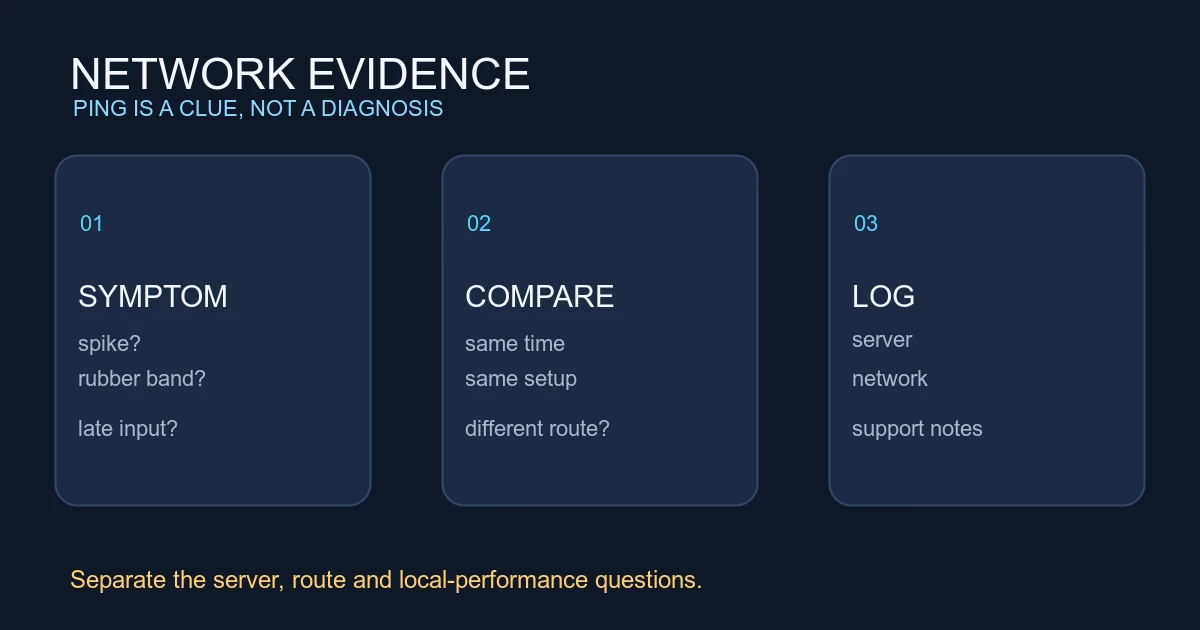
“The server feels bad” can describe several different problems. Ping may be high because of routing. A local frame-time problem can make input feel late even when the server path is fine. Packet loss can make a fight look inconsistent. A single missed shot cannot tell you which one happened.
Start with the evidence the client shows, then change one part of the path at a time.
What Riot has documented
In How We Got to the Best-Performing VALORANT Servers Since Launch, Riot described its 128-tick server goal and the work used to monitor server frame performance. The article explains that server frame time and a player's network route are different measurements. It also describes using pre-release and live data to catch performance degradation.
Those details come from a 2023 Riot engineering article and describe the systems discussed there. They are not a promise that every current issue has the same cause or that a particular ping value guarantees a good fight.
Ping is a route measurement
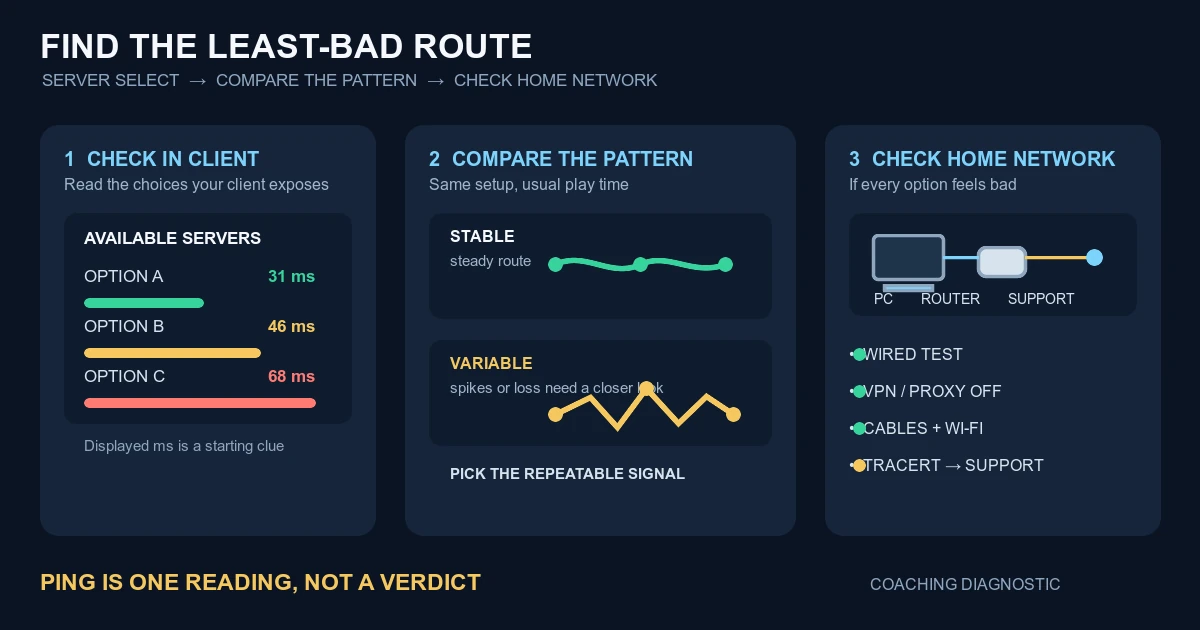
Ping is the time it takes for data to travel between your client and the server and back. It can change with the server region, time of day, ISP routing, Wi-Fi interference and congestion. It does not directly measure your monitor, mouse, frame pacing or the other player's connection.
Compare the number across several matches and servers. If one region is consistently higher, record it. If the number is stable but the game feels uneven, look at packet loss, frame time and input path instead of treating ping as the whole diagnosis.
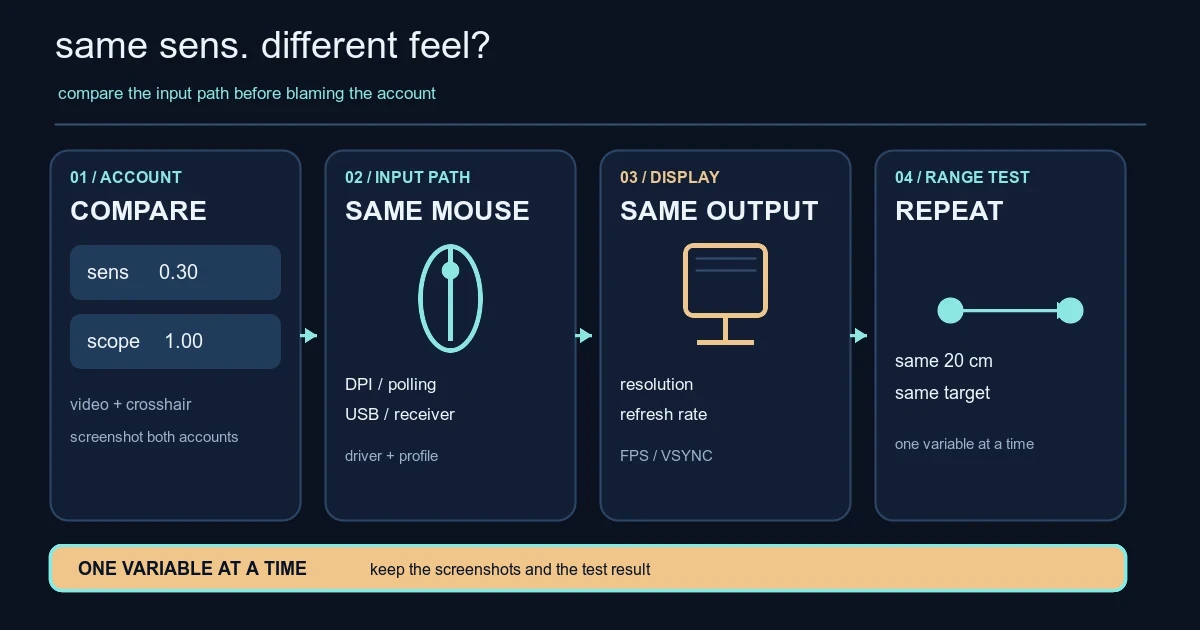
The sensitivity-between-accounts guide is relevant when aim feels different after changing machines. A server number cannot explain a mouse setting, display scaling or a different desk.
Server performance is another layer
Riot's article discusses server frames and the target needed to support 128-tick operation. That is about the work the server completes between updates. A player can have acceptable ping and still see an issue caused by a local network or client path. Conversely, a stable server does not remove delay from a poor route.
Do not convert one visible tick-rate claim into a promise that every duel is identical. Competitive games still involve network timing, interpolation, input and the exact state of ten players. Use the number to narrow the question, not to end it.
Keep a short troubleshooting log
For three matches, write down:
- server region and visible ping;
- packet loss or network warnings;
- frame rate and whether frame time feels stable;
- Wi-Fi or wired connection;
- the round and symptom you noticed.
Describe the symptom rather than the conclusion. “Shots felt late after a teleport, ping 34, no visible loss” is better than “the server delayed my bullets.” The first-time message guide uses the same evidence habit: separate what the client confirms from what a player suspects.
If the issue follows one network, test wired Ethernet, pause other traffic and compare another time. If it follows one machine, check frame pacing, drivers and input settings. If it appears across multiple players or regions, save the log and use Riot's current support path.
What not to infer from one duel
A missed shot, a kill after you reached cover or a strange replay-looking moment is not enough to prove a server fault. Review the crosshair, movement, utility and visible network data together. Sound can also be delayed or masked, so use the sound-cue practice list to learn the ordinary sequence before diagnosing an unusual one.
The goal is not to defend every server problem. It is to report the right problem with enough detail for someone else to reproduce it.
Be careful with comparisons between regions. A different server can change ping, player population, queue time and the opponents you meet at the same time. Test one region at a time and do not use a single high-ping match as proof that the server is always bad. If the client reports a specific error, preserve the wording and time rather than paraphrasing it into a theory.
There is also a difference between a visible number and a felt delay. A stable ping can coexist with a display or input issue, while a changing route can produce a network warning even when the average looks acceptable. That is why the short log is more useful than a screenshot of one number.
Keep the log private and practical. A few timestamps, regions and symptoms are enough to compare sessions. The record is for narrowing the cause, not for proving that every loss came from the network.
Sources checked
- Riot Games How We Got to the Best-Performing VALORANT Servers Since Launch, published 2023-03-09 and checked 2026-08-14 UTC. Used for Riot's documented 128-tick goal, server frame discussion and performance monitoring process.
The ping distinctions, troubleshooting log and evidence rules are Valorant Village coaching interpretation, not a diagnosis or guarantee about an individual match.